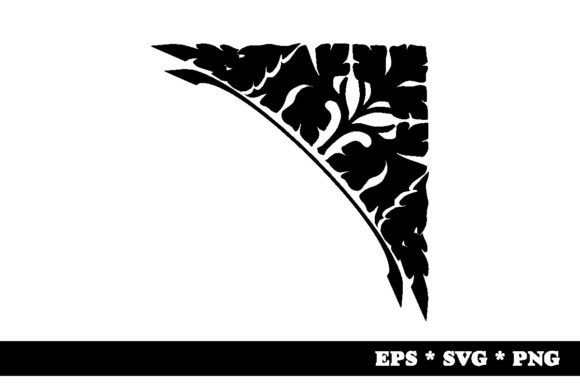
Unlocking Creativity: The Essential Guide to Decorative Corners and Vector Assets
In the world of graphic design, branding, and digital content creation, the smallest details often make the biggest impact. Among these subtle yet powerful elements is the decorative corner. Whether you are designing a wedding invitation, crafting a social media post, or laying out a corporate report, decorative corners serve as the finishing touch that elevates a simple layout into a polished, professional piece. This guide explores what decorative corners are, why they matter, and how high-quality vector assets can streamline your creative workflow.
What Is a Decorative Corner?
A decorative corner, also known as a corner flourish, ornamental corner, or filigree element, is a graphical embellishment placed at the intersection of two lines—typically the edges of a page, frame, or image. These designs range from simple geometric shapes to intricate, hand-drawn floral patterns. Historically rooted in calligraphy and manuscript illumination, decorative corners have evolved to become a staple in modern visual communication.
The primary purpose of a decorative corner is to frame content. By drawing the eye toward the center of a composition, these elements create a sense of balance and structure. They can add elegance, vintage charm, or modern minimalism depending on the style chosen. For designers, they are not just aesthetic choices; they are functional tools that help organize space and guide viewer attention.
The Evolution of Ornamentation
While we often associate decorative corners with traditional printing, their usage has expanded significantly in the digital age. In the past, creating such intricate designs required skilled artisans using physical tools. Today, digital artists create these elements using vector software, allowing for infinite scalability without loss of quality. This shift has democratized access to high-end design elements, making them available to everyone from professional studios to independent bloggers.
Why Choose Vector Formats? (EPS, SVG, PNG)
When sourcing decorative corners for your projects, file format is critical. The most versatile and professional-grade assets come in specific formats designed for different use cases. A standard ZIP package containing multiple formats ensures maximum flexibility. Here is a breakdown of the essential file types you should look for:
1. EPS Vector Files
EPS (Encapsulated PostScript) files are a legacy but highly respected format in the print industry. They contain vector data, meaning the graphics are defined by mathematical equations rather than pixels. This allows for precise editing in software like Adobe Illustrator. An EPS file is ideal if you need to send your design to a professional printer who requires high-resolution output for large-scale materials like banners or packaging.
2. SVG Vector Files
SVG (Scalable Vector Graphics) is the gold standard for web design. Unlike raster images, SVGs remain crisp at any size, whether viewed on a mobile phone or a 4K monitor. They are lightweight, code-friendly, and accessible, making them perfect for websites, apps, and interactive presentations. If you are building a responsive website, an SVG decorative corner will load quickly and scale perfectly across all devices.
3. High-Resolution PNG Files
For quick edits in programs like Photoshop or Canva, a PNG (Portable Network Graphics) file is often the most practical choice. The requirement for a transparent background is crucial here. It allows the decorative corner to overlay any color or image without a white box surrounding it. The specification of 300dpi (dots per inch) ensures that the image is print-ready. At this resolution, the PNG will appear sharp and clear when printed on standard paper sizes, bridging the gap between digital convenience and print quality.
Practical Applications in Modern Design
Understanding the technical specifications is important, but knowing where to apply these assets is equally vital. Decorative corners are incredibly versatile and fit into various contexts, from business to personal creativity.
- Event Invitations: Weddings, galas, and formal dinners benefit greatly from ornate corner flourishes. They set the tone of elegance before the guest even reads the text.
- Certificates and Awards: Official documents often use corner borders to signify importance and authenticity. A clean, geometric decorative corner can lend authority to a certificate of completion.
- Social Media Templates: Content creators use decorative corners to brand their posts. Consistent use of a specific corner style helps build brand recognition across Instagram, Pinterest, or LinkedIn.
- Book Covers and E-books: On digital screens, subtle corner accents can mimic the feel of a classic hardcover book, adding depth and texture to flat digital designs.
Common Misunderstandings About Decorative Elements
Despite their popularity, there are several misconceptions about using decorative corners that can hinder a designer’s progress.
Misconception 1: More is Better
A common error is overloading a design with too many decorative elements. While corners are meant to frame content, excessive ornamentation can distract from the main message. The best decorative corners are subtle; they enhance the design without shouting for attention. Always ensure that the text remains legible and the focal point of your composition is preserved.
Misconception 2: All Images Are Equal
Some beginners assume that any image file will do. However, using a low-resolution JPEG or a PNG with a white background can ruin a professional-looking design. A white box around a corner flourish looks amateurish, especially if placed over a colored background. Always prioritize assets with transparent backgrounds and scalable vectors to maintain integrity.
Misconception 3: Vectors Are Only for Print
Many users believe that vector files are only necessary for large-format printing. While true for billboards, vectors are equally important for web performance. An SVG file is smaller in file size than a high-res PNG, leading to faster page load times—a key factor in SEO and user experience.
How to Integrate Decorative Corners Into Your Workflow
Integrating these assets into your projects should be a seamless process. When you receive a ZIP package containing your decorative corners, follow these steps to get the best results:
- Organize Your Files: Extract the ZIP file and separate the formats. Keep the EPS and SVG files in a "Vectors" folder and the PNGs in a "Raster" folder.
- Choose the Right Format: If you are working in Illustrator or InDesign, open the EPS or SVG file. This allows you to change colors, resize, and ungroup elements for customization. If you are working in Photoshop or Canva, upload the 300dpi PNG with the transparent background.
- Align Precisely: Use alignment tools in your software to place the corners exactly at the intersections of your layout. Most design software has guides or snapping features that help with this precision.
- Adjust Opacity: Sometimes, a decorative corner might overpower the text. Try reducing the opacity of the layer slightly to create a watermark effect, which adds sophistication without distracting from the content.
The Value of Versatility in Asset Packages
Investing in a comprehensive asset package offers significant value. By including 1x EPS vector, 1x SVG vector, and 1x PNG, the provider ensures that the designer can work across mediums. You might start a project on your desktop using the editable EPS file, then move to your laptop to update a website using the SVG, and finally export a flyer using the high-res PNG. This versatility saves time and reduces the need to search for additional resources later.
Conclusion
Decorative corners are more than just pretty pictures; they are fundamental components of effective visual communication. They provide structure, elegance, and focus to any design. By understanding the differences between file formats like EPS, SVG, and PNG, and by applying best practices in placement and styling, you can elevate your projects from ordinary to extraordinary. Whether you are a seasoned graphic designer or a hobbyist creating your first invitation, leveraging high-quality decorative corner assets is a simple yet powerful way to enhance your creative output.
Remember, good design is about balance. Let the decorative corner do its job—framing your message beautifully—while keeping the focus on what truly matters: your content. With the right tools and knowledge, you can harness the full potential of these timeless design elements to create work that resonates with your audience.