Decorative Frame: Why File Format Matters More Than You Think
When you are looking to enhance a project with a Decorative Frame, the visual appeal is often the primary driver. Whether you are designing a wedding invitation, creating social media content for your small business, or framing a photograph for your home, the right border can elevate the entire composition. However, many creators make a critical error early in the process: they focus solely on the aesthetic without verifying the technical specifications of the asset they are about to use.
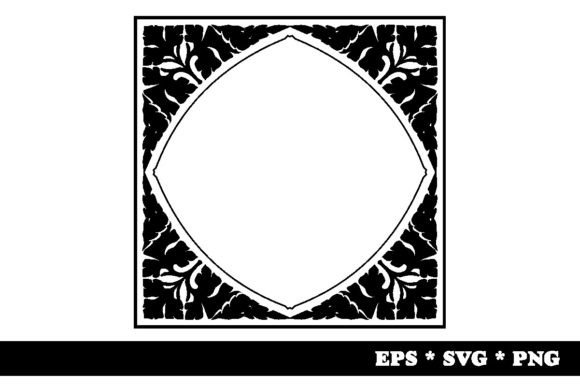
A common scenario involves downloading a "free" decorative element from an open web source. The image looks perfect on the screen, but when it comes time to print it at high resolution or scale it up for a large banner, the quality falls apart. This is where understanding file formats becomes essential. A robust package should not just offer a single image; it should provide versatility. For instance, a premium or well-curated Decorative Frame typically includes a ZIP package containing multiple formats such as 1x EPS vector, 1x SVG vector, and 1x PNG in high resolution on a transparent background at 300dpi. Knowing why each of these exists and how to use them correctly can save you hours of frustration and prevent costly reprinting errors.
The Trap of Low-Resolution Raster Images
One of the most frequent mistakes beginners make is relying exclusively on low-resolution raster images. If you download a decorative frame that is only provided as a standard JPEG or a low-quality PNG, you are limiting its utility significantly. Raster images are made of pixels. When you try to enlarge them beyond their original dimensions, they become pixelated, blurry, or jagged. This is particularly disastrous for physical products.
If you intend to print your design, you must ensure your assets are crisp. A Decorative Frame intended for print needs to be at least 300dpi (dots per inch) at the final output size. Many online resources provide images optimized for web display, which are usually 72dpi. While this looks fine on a smartphone screen, it will appear blocky and unprofessional on paper. By ensuring your asset library includes a high-resolution PNG option, you guarantee that the intricate details of the frame remain sharp, whether it is being viewed on a 4K monitor or printed on heavy cardstock.
Vectors vs. Rasters: Understanding Scalability
To truly master design, you need to understand the difference between vector and raster graphics. Vectors are mathematical equations that define shapes, lines, and colors. This means they can be scaled to any size—whether it fits on a business card or covers a billboard—without losing any quality. If your chosen Decorative Frame comes in EPS or SVG format, you have unlocked the ability to resize freely.
EPS (Encapsulated PostScript) files are industry-standard vector formats. They are widely supported by professional desktop publishing software like Adobe Illustrator and InDesign. If you are working with a graphic designer or sending files to a professional printing house, providing the EPS version of your decorative frame ensures they can edit, recolor, or adjust the artwork without quality loss.
SVG (Scalable Vector Graphics) files are another powerful vector format, primarily used for web design. Because SVGs are code-based, they load quickly and remain crisp on all devices, including retina displays. If you are a blogger or marketer creating digital assets, having the SVG version of your Decorative Frame allows you to integrate it directly into HTML or CSS, offering interactivity and perfect clarity across all screen sizes. Ignoring these vector options means you are stuck with fixed-size images, severely restricting your creative flexibility.
The Importance of Transparent Backgrounds
Another overlooked detail is the background of the frame itself. Many free assets come with a white box surrounding the decorative elements. While this might seem minor, it creates significant integration problems. If you place a frame with a solid white background over a dark or textured design, you will see an unsightly white rectangle obscuring your work. You would then have to manually remove the background using complex editing tools, which can sometimes damage the delicate edges of the frame.
This is why the inclusion of a PNG with a transparent background is crucial. A transparent PNG allows the frame to blend seamlessly with any underlying color, texture, or pattern. It acts as a pure overlay, letting your design shine through. When evaluating a Decorative Frame package, always check if the PNG layer has transparency. If it does not, you may find yourself spending unnecessary time cleaning up artifacts that could have been avoided by choosing a better asset.
Evaluating Your Choice Before Downloading
Before committing to a specific Decorative Frame, take a moment to audit the package contents. Do not assume that one file type will serve all your needs. Ask yourself the following questions:
- Will I print this? If yes, verify that the PNG is 300dpi and that an EPS or AI vector file is included for maximum scalability.
- Will I use this digitally? If yes, ensure there is an SVG file for web compatibility and a transparent PNG for easy layering in design software.
- Is the style consistent? Ensure the decorative elements within the frame match the tone of your brand or project. A baroque gold frame may look out of place on a minimalist tech brochure.
By checking these details upfront, you avoid the hassle of searching for replacements later. It also helps in budgeting your time and resources. Investing in a comprehensive package now prevents the need for expensive redesigns or rushed fixes later.
Practical Application Tips
Once you have secured a versatile Decorative Frame package, here are a few practical tips to get the best results. First, always work with the highest resolution version available during the design phase. Even if your final output is for the web, start with the vector or high-res PNG to maintain quality during edits. Second, use layers effectively. Place your frame on a separate layer above your main content so you can easily adjust opacity or blending modes if needed.
Finally, remember that less is often more. A decorative frame should complement your content, not compete with it. Use it to draw the eye toward your message, rather than allowing the frame to become the focal point. By respecting the technical capabilities of your assets and applying them with intention, you create designs that are not only beautiful but also functional and professional.